Showing posts with label photography. Show all posts

Monday, May 16, 2011

Sweet Deals

Mamapedia is offering two really sweet deals for my blog readers!  Mamapedia is a great flash deal site, much like Groupon, except that it's geared towards moms.  They have wonderful deals and some really amazing offers.  The first deal they're offering for my readers is so great!

Large Hardcover Photo Book


Get a $35 Large Hardcover Photobook from PhotoBin.com for ONLY $10! The first 1000 new buyers can get an extra 10% off by using coupon code PHOTOBIN10 at Sweet Deals checkout.

These photo books are seriously gorgeous, and at over 70% OFF the list price, this is a truly unbeatable offer: Check it out here!  This offer ends 5/18/11- Tuesday night/Wednesday morning at 12AM.


Weight Watchers Magazine

First time Mamapedia buyers can get Weight Watchers Magazine for a whole year for ONLY $9 by using the 10% off coupon code WWMAG10. That makes it only 75 cents per issue!

Weight Watchers Magazine is a great choice for anyone who just needs a little bit of extra motivation when it comes to eating healthier and losing weight. It's not just for people on the Weight Watchers program-- It has the best of everything; including tips, recipes, fashion advice, and inspiration!


Check out the deal here!  This offer ends tonight at midnight so don't put it off!


**  I didn't get paid to endorse these deals or receive anything free/discounted  **

post signature

Thursday, April 28, 2011

Closeup Learning Curve

Last week Spencer and I went to the Middle of Nowhere, North Carolina to visit her great-grandparents for a few days.  It was the perfect time to go because the flowers were at their peak and everything was blooming and gorgeous.  I took the opportunity to get in some practice with my new macro lens. I'm not sure what I was expecting, but the learning curve is a little bit more steep than I thought it was going to be.  It took me awhile, and a few hundred pictures, before I started to get anything that I actually liked.  I still have a lot to learn, but here are some of my favorites.  I would love to hear any tips from those of you love macro photography!

The second picture is a closeup of the flower in the first one.  See that yellow stuff?  It's pollen!  Just looking at it makes my nose start to itch!


post signature

Monday, April 4, 2011

RamNation Spencer

Some of you might know that Richmond's hometown VCU was in the Final Four this past weekend.  Nothing like that has ever happened here, so it was a BIG deal!  VCU was an 11th seed and they got a lot of flack for even being included in the NCAA tournament.  I have lived here my whole entire life, minus the four years I was at W&M, and I've never experienced anything like it- VCU brought this city together like nothing before ever has. Yes, we lost, but we're still so proud of the Rams!  Even little Miss Spencer got on the bandwagon.  So here she is, RamFan Spencer:


(She was practicing her ballet moves)


post signature

Thursday, February 17, 2011

Photography Hints, Tips, Suggestions & Rules Part II

The Editing

Over the course of the last four years, I have made many, many, many photo editing errors.  I think when every person is first learning how to use Photoshop, they have tendency to be a little heavy handed in their editing- especially in the over-saturation department.  As I've learned more about actual photography, I've relied less and less on post-processing work.  When you are taking a picture, you should act as if you can't do any post editing.   If you're thinking that you can always go and fix something later, you won't take take the best possible picture.  But, almost all pictures can benefit from a little post processing work and I now have a few rules that I always use when I'm editing a picture.

First thing- you don't need Lightroom or ACR, but it might be something you should think about buying.  You can download a free 30 day trial of both from Adobe to try it out.  I know that they're expensive, but I purchased a used copy of both off of craigslist and I paid $35 for Lightroom 3 and $40 for Photoshop CS 4, which includes ACR. There are many free online alternatives, the only problem with them is that you can't edit a RAW picture with them. 

I open my RAW image in either ACR or Lightroom and do most, if not all, of my editing there.  I never adjust the saturation or sharpen my images because these are two sure fire ways to make your picture look photoshopped.  I almost always only adjust the contrast, brightness, and black; here is a before and after edit using only those three changes.


In the second picture, the contrast and brightness are both at 10 and the black is set at 6.  If you think that your picture is under saturated, increasing the contrast and black will give you a much more natural look than it would with an increased saturation.  I would just like to note that if I wasn't trying to show you that saturation isn't necessary, I would I have used lower settings to edit the picture. To me, it's still a little too much.

Below this, on the left, is the same picture where I've increased the saturation to 10 instead of the contrast- the brightness is still 10 and the black is still 6 and on the right is the one from above with contrast and not saturation


Now some people might like this picture better than the previous one, but it hurts my eyes and I think it looks a little unrealistic.  Yes, it's definitely more colorful, but it also looks like it's been edited and that's not what you want. The other problem with the one on the left is that it will not make a very good printed picture.  What looks okay on the computer does not always look good when printed because of the ink. A computer is capable of producing many different colors that ink printers just can't produce. So the many subtle changes in color you might see on the computer picture version will turn into one big blob of color on the printed one.

Once you've finished editing the RAW picture you can either choose to save it as jpeg or PNG or open it in photoshop.   I generally will only open a picture in photoshop is if it needs some touching up, ie., blemish removal.  There are a few other reasons I will do further edits in there, like adjusting the exposure on only a certain portion of the picture; something you would need to do with a photoshop layer mask. 


The Equipment

Most people will agree that the lens matters more than the camera.  So what does that mean?  It means the quality of your pictures will improve much more with a better lens than it will with a better camera.  If you are in the market to buy your first DSLR, and you're looking at the Canon Rebels, I would recommend purchasing only the body of the camera, without the lens kit, and buying your lens separately.  Why? Because the lens that comes with camera is not very good- certainly not worth the extra money that tack on for it.  You would be much better off buying the 50mm f/1.8 and it will save you about $100 in the long run.

I would also recommend renting any lens that you're thinking about buying.  There are many companies where you can rent a lens for just a day, or longer, at a very low cost.  A new lens isn't cheap and before spending your money you should first try it out and make sure you're getting what you want.  The things you'd want to check out are the weight, ie., is it too heavy for you, ease and speed of focus, distortion of subject, and overall performance.  If you are purchasing a zoom lens, you'll want to make sure of the quality of it's image stabilization or vibration reduction.

I hope this has been helpful and that I've answered some of your questions.  Please email me if there's anything else you'd like to know!


post signature

Wednesday, February 16, 2011

Photography Hints, Tips, Suggestions & Rules

I tend to get a fair amount of questions about photography, my camera, lenses, tips, and editing.  Last night, I was emailing back an answer to someone when I experienced a little deja vu- didn't I just write that exact same thing last week to someone else?  So I've decided to write down some of my own personal photography rules and give you a few of my suggestions and tips.


Taking Pictures

I only have a few rules that I consistently apply when I'm taking pictures.  These are just my own personal suggestions and everyone has a different style, so they might not work for everyone.

Mode

One of the main advantages to a DSLR is being able to control all aspects of how the camera takes each picture.  This is why it's so important to shoot in manual mode. If you have a DSLR and you are still in the automatic modes, get out of them and try practicing with the creative modes!   If you are already using the creative modes, like Av, Tv, A-Dep, etc., you're almost there- just start to practice in manual (M).  I wouldn't recommend practicing at your child's birthday party- stick with what is comfortable to you in that type of situation.  But the more you shoot in manual the easier it will get and the quality of your photos will greatly improve.

Flash

I never use the flash unless I absolutely have to and even then, I probably won't.  If I'm in a low light situation without a tripod, I use the lens with the lowest capable f/stop and increase my shutter speed. The reason you need to increase your shutter speed, which actually lets in less light, is that it closes the shutter very quickly, meaning your picture won't be blurry (but it will be darker). If that still doesn't work, I'll bump up my ISO.  The reason that's my last resort is the higher the ISO, the more noise in the picture, ie., grainy.  If that still doesn't work, I will look for any available light source and try to use it to my advantage.  When every available option has been tried and I still can't get a good picture, I might resort to using the flash.  If you have a built in flash, this doesn't apply to you, but if yours is attachable/removable, aim the flash upwards.  That should provide you with the necessary light without the full harshness a flash tends to produce.

f/stop

I prefer to shoot with the highest possible f/stop because it produces sharper and brighter pictures.  A low f/stop means smaller aperture, ie., less light.  Unless you are trying to take pictures of fireworks, the moon or stars, generally, in low light situations a lower f/stop is needed (with the aforementioned exceptions you will need to use a tripod and a larger f/stop) but not if you are outside on a nice sunny day. I like to go by the Sunny 16 rule of thumb:  In full light, during the brightest part of the day, the best camera settings are an f/16 aperture, 1/250 second shutter speed, and 200 ISO.  Using that as my go-to setting, I can then make the appropriate adjustments depending on the light I have.

Storage

(I'm a little crazy about photo storage and archiving- I have a ridiculously deep fear of losing all my pictures, so please don't think you have to do all of these.)

Taking pictures with a DSLR gives you the option to shoot in either RAW, jpeg, or both- I always choose both.  That may sound a bit redundant and like a waste of space considering RAW files are enormous. I know that the large size of the RAW file is a deterrent to many people who only have a two or four GB memory card, but there really are so many advantages to shooting in RAW and I will get to why I also do jpeg in a minute.  My advice is to purchase a few of the smaller sized cards or search for some good deals and buy one that has a large capacity.  I just got one that is 16GB for Christmas and I can't tell you how nice it is to not have to constantly worry about running out space and trying to delete pictures when when I should be taking them.  (My 16GB was $50, which, when considering I paid $29 for my 2BG one, was a huge bargain)  If you are someone who never edits their pictures, then there is no reason you need to have a RAW version of your pictures- jpeg is all you need.  But, if you do edit your pictures, especially in either ACR (which comes with all editions of Photoshop) or Lightroom, you need to be shooting in RAW.

When you attach your camera's memory card to the computer, whether via card reader, internal slot or USB, it will automatically select the option Delete After Importing.  I deselect that check mark right away!  After all my pictures are on my computer, I then immediately upload them to two different "in the cloud" services; first to my private picasa web albums and then I pick out the ones I want to make sure get saved and upload them to either flickr or shutterfly.  Finally, I save them to my external hard drive.  None of these pictures have been edited yet because I like to keep one copy in their original format- which is why the extra jpeg file is needed.

The only real disadvantage to RAW files is that they need to be converted to another format before you can see them on your computer or upload them to another site; this conversion is generally done in a program like Adobe Camera RAW (ACR) or Lightroom.  (There are other many other programs that also do it)  Since I like to upload a "just in case something bad happens to my computer before I'm finished editing" copy of the original picture, I have to have a jpeg file or else I won't be able to upload it. I hope that makes sense!

Erasing

Once I have everything safely stored in both locations, I breathe a sigh of relief.  Now comes the part you probably haven't have heard of or have been afraid to try.  With your memory card back in your camera, you have two options that will erase the images; using the trash can button or reformatting.  Choosing to reformat is the best option because it greatly decreases the likelihood of your card becoming corrupted and crashing.  When you erase pictures with the trash can, fragments of the files are still left behind and over time, this decreases card stability. 

Okay, well I think this is long enough for today!  Tomorrow I will post on my rules and suggestions on editing and and equipment.  Please let me know if there is anything here that needs some extra clarification and I will try to better explain myself.


post signature

Monday, January 31, 2011

I Heart Faces

This is for the best face photo challenge on I Heart Faces.  I love this picture of Spencer, she looks so angelic- if only I could figure out how to make her behave the way she looks, haha!


post signature

Sunday, December 12, 2010

My Daughter, the Photographer

These photos, which she took this afternoon, are courtesy of Spencer and a point and shoot camera.  It started off promising- she told me to say cheese and then waited until I was looking at her before she took the pictures.  But then she got impatient with me, the photography itch took hold, and she just started snapping away to her heart's content.  It tells a nice little story, haha!


It started off pretty well...


Then she figured out the zoom... and it's all downhill from here...


My forehead looks gigantic here, but it gets worse...


See what I mean?  Now I have the world's tiniest chin. I think this was a combination of zoom and standing right in front of me.  Not sure why I'm red, though!


And who knows what happened here...


But this one takes the cake.  That red splotch in the top left hand corner... that's Spencer's finger.

 Maybe with a little practice she'll be the next Diane Arbus or Annie Leibovitz! 

PS.  When you read the title, it's supposed to be like the line from The 'Burbs, "My brother, the doctor!"  Please tell me you've seen The 'Burbs, because if you haven't, you are missing out. Seriously!)


post signature

Tuesday, October 5, 2010

The Bullaise Ballet

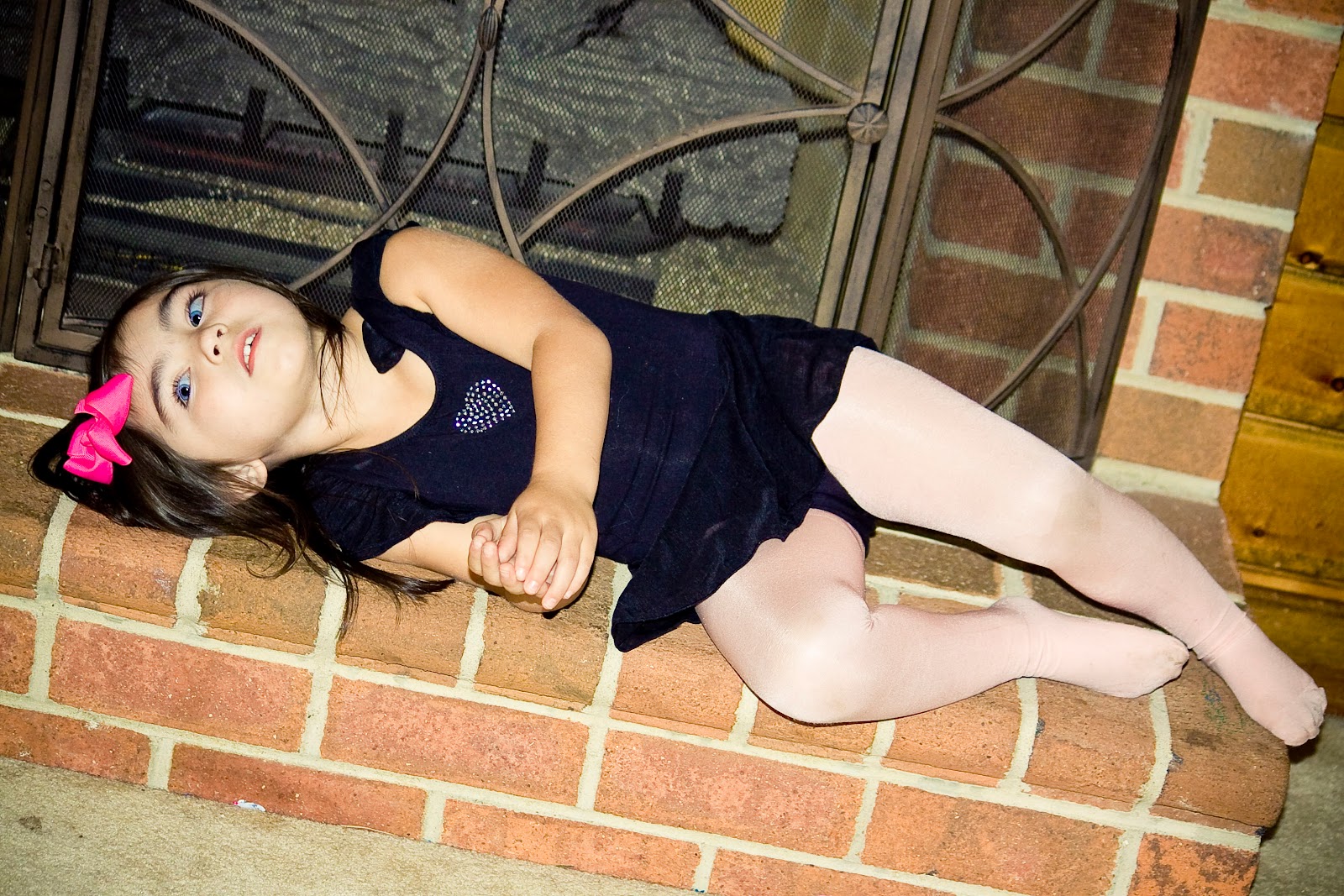
Spencer is now taking ballet, which she calls bullaise, and tap dancing lessons and she LOVES it. I have to hide her tap shoes when we get home because she wants to tap dance around the house all the time. The class is only once a week, but I wish they had it more often, because Spencer wants to go there every single day. Last night she obliged me for a few minutes and let me take a few pictures of her in her leotard.


And then she got annoyed with me.


  Story. Of. My. Life.


  I guess that's what life with a strong willed three year old is like, ha!

post signature

Thursday, September 2, 2010

How Does This Happen in Six Months?

The last time we were in The Middle of Nowhere, North Carolina was March of this year.  And, to me, she still looked like a toddler with a dash of little girl thrown in.  It was a little less than six months ago that I took these pictures of Spencer with Leah, the puppy.


Leah is now officially a dog, not a puppy, although she looks exactly the same, and Spencer is, well, see for yourself:


I can't get over how much she's changed since March! How does that happen?  I think she looks like such a grown up little girl now and that makes me want to cry.  Maybe it's because she's starting preschool in less than two weeks, but I'm feeling all kinds of sad and nostalgic about how quickly she's changing right before my very eyes.  About the only thing that hasn't changed is how much Spencer loves Leah. The other night she yelled to me from the bathroom that she needed me and I went in there, and there's Leah on her leash and Spencer on the toilet.  Yep, she even brings the dog to go to the bathroom with her.  Last night she woke me up when she started sleep talking and sleep laughing about something she was dreaming.  It was a little incoherent, but there was no mistaking that she was dreaming about an entire hilarious scenario involving her and Leah. Yep, she even dreams about the dog!

post signature